
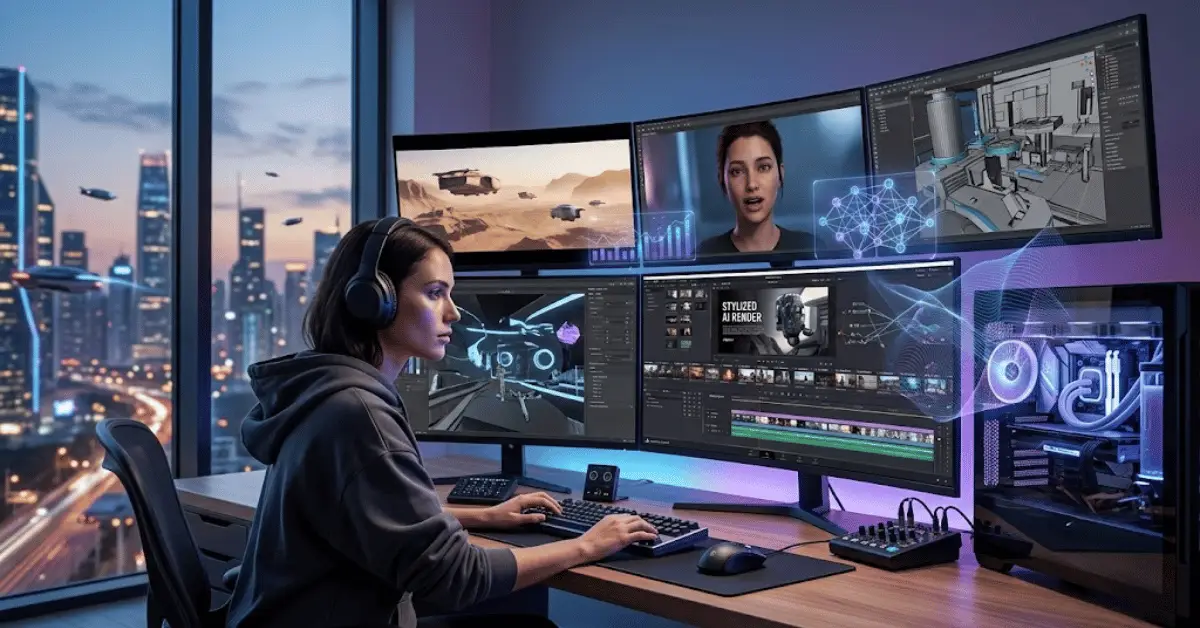
Artificial intelligence has transformed the way people create video content. What once required expensive equipment, professional editing skills, large production teams, and hours of work can now be accomplished with powerful AI video generators. In 2026, creators can use AI video creation tools to generate videos from text prompts, turn scripts into complete videos, create realistic avatars, produce voiceovers, edit footage, add subtitles, and even generate cinematic scenes.
For YouTubers, marketers, businesses, educators, social media creators, and beginners, choosing the right AI video software can make video production faster and more accessible. However, with so many platforms available, finding the right solution can be challenging.
This guide explores the Best AI Video Generators 2026, the best AI video tools, what features to look for, how these platforms work, and which type of creator can benefit from them.
What Are AI Video Generators?
AI video generators are software platforms that use artificial intelligence to create or modify video content. Depending on the platform, users may be able to generate videos from text descriptions, images, scripts, or existing footage.
Modern AI video creation software can perform several tasks, including:
- Text-to-video generation
- Image-to-video animation
- AI video editing
- Script-to-video creation
- AI voice generation
- Digital avatars
- Automatic subtitles
- Background generation
- Video enhancement
- Social media video creation
- AI video production
- Automated video creation
The technology is developing rapidly, making AI video creation one of the most interesting areas of digital content production.
Why Use AI Video Tools in 2026?
The biggest advantage of AI video software is efficiency. Traditional video production can involve scripting, filming, recording audio, editing, color correction, animation, and publishing. AI video tools can automate or simplify many of these steps.
For example, a creator can write a short description of a scene and use an AI video generator to produce a visual concept. A business can transform a written article into a narrated video using AI video creation software. A social media creator can turn long-form content into short clips with an AI video editor.
AI can also help people who have limited editing experience. Instead of learning complicated professional editing software immediately, beginners can use automated workflows to produce professional-looking content with the best AI video generators.
Key Features to Look for in the Best AI Video Generators 2026
Not every AI video generator works in the same way. Before selecting a tool, consider the features that match your content goals.
1. Text-to-Video Generation
Text-to-video AI is one of the most exciting capabilities. Users provide a written prompt describing a scene, and the system generates video based on that description.
The quality of results can depend heavily on the prompt, model, duration, and platform. Creators should look for AI video generators that provide good control over camera movement, visual style, composition, and consistency.
2. Image-to-Video Generation
Image-to-video AI technology allows users to animate a still image. This can be particularly useful for photographers, designers, marketers, and social media creators.
A single product image, illustration, or generated artwork can potentially be transformed into an engaging short video using an AI video maker.
3. AI Avatars
AI avatar video tools can create presenters who deliver scripts without requiring the creator to appear on camera.
This can be useful for training videos, educational content, product demonstrations, internal communications, and marketing campaigns. Businesses searching for the best AI video software often prioritize avatar features.
4. AI Voiceovers
AI voice generation has become another important feature. Many AI video creation tools can create natural-sounding narration from written scripts.
Creators should pay attention to pronunciation, language support, voice variety, and the ability to control tone and pacing when comparing AI video generators 2026.
5. Automatic Subtitles
Captions are important for accessibility and social media engagement. AI subtitle generators can automatically transcribe spoken content and synchronize subtitles with video.
A good AI video editor should allow creators to edit the generated captions before publishing.
6. AI Editing
AI-powered video editing can automatically identify scenes, remove unwanted sections, generate highlights, improve audio, and create short-form clips.
These features can save significant time for creators who regularly produce large amounts of content with AI video editing tools.
Best AI Video Generators for Different Types of Creators
There is no single AI video platform that is perfect for everyone. The best choice depends on your specific requirements.
AI Video Tools for YouTubers
YouTubers often need a combination of scripting, editing, voiceover, thumbnails, captions, and short-form content.
An AI video generator for YouTube can help turn a script into a visual video, generate supporting footage, create narration, and produce clips for platforms such as YouTube Shorts.
For established channels, AI video creation tools are often most useful as assistants rather than complete replacements for human creativity.
AI Video Tools for Social Media Creators
Short-form content requires speed. Creators publishing videos on TikTok, Instagram Reels, YouTube Shorts, and similar platforms can use AI video makers to generate ideas, captions, transitions, and short clips.
The ability to quickly transform long videos into multiple short pieces can be particularly valuable for creators using AI video editing software.
AI Video Tools for Businesses
Businesses can use AI video software for marketing for advertising, product demonstrations, tutorials, employee training, presentations, and social media campaigns.
AI avatars, AI voiceovers, and multilingual features can be useful when a company needs to create multiple versions of the same message in different languages.
AI Video Tools for Educators
Teachers and online educators can use AI video generators for education to transform lessons into engaging visual content.
A written explanation can be converted into a narrated presentation, while AI-generated subtitles and graphics can make educational material easier to follow.
AI Video Tools for Beginners
Beginners should prioritize ease of use when choosing an AI video maker. A complicated platform with hundreds of advanced settings may not be ideal for someone creating their first video.
A simple interface, templates, automated editing, and clear export options can make the learning process much easier with AI video creation software.
How to Choose the Right AI Video Generator
When comparing the Best AI Video Generators 2026, consider several factors.
First, identify the type of videos you want to make. A platform designed for cinematic text-to-video AI generation may not be the best option for business presentations or avatar-based training.
Second, examine the available editing features. If you already have video footage, you may need an AI video editor rather than a pure generation platform.
Third, consider output quality. Look at sample videos and evaluate realism, motion quality, consistency, audio, and resolution before selecting an AI video generator.
Pricing is another important consideration. Many AI video services offer different subscription tiers, usage limits, credits, or generation restrictions. Review the current plan details before choosing an AI video creation tool.
Finally, check commercial-use rights if you plan to monetize your content or use generated videos for a business.
AI Video Generation vs Traditional Video Production
AI video generation does not necessarily replace traditional filmmaking. Instead, it provides another approach to video production.
Traditional production offers precise control over actors, locations, physical props, camera equipment, and real-world performances. It is often the preferred option when authenticity and complete production control are essential.
AI-generated video can be faster and more affordable for certain types of content. It is particularly useful for concepts that would otherwise require expensive locations, animation, or visual effects.
The best workflow may combine both approaches. Creators can use AI video tools for brainstorming, pre-production, visual concepts, editing, subtitles, and other repetitive tasks while maintaining human control over the final creative direction.
Tips for Getting Better Results From AI Video Generators
The quality of an AI-generated video often depends on how clearly the creator communicates the desired result.
Instead of using a vague prompt such as “make a city video,” provide more useful details.
Describe the subject, environment, camera movement, lighting, visual style, mood, and approximate action. Detailed prompts can help AI video generators create more accurate and engaging results.
For example, a prompt might describe a futuristic city at night, cinematic camera movement, reflective streets, atmospheric lighting, and realistic architectural details.
It is also useful to generate shorter clips and select the strongest results rather than expecting one prompt to create an entire perfect production with an AI video maker.
Editing multiple AI-generated video clips together can produce a more polished final video.
Common Mistakes to Avoid
One common mistake is expecting an AI video generator to produce a perfect finished video from a single prompt. AI generation is powerful, but results can vary.
Another mistake is ignoring copyright and licensing considerations. Creators should understand the terms of the AI video platform they use and ensure that assets, music, voices, and other content are appropriate for their intended use.
Creators should also review AI-generated content carefully. Visual errors, unnatural movements, incorrect text, pronunciation problems, and inconsistent characters can sometimes occur.
Human review remains important, especially for professional and commercial content created with AI video software.
The Future of AI Video Creation
The future of AI video generation is likely to focus on greater control, improved realism, longer video consistency, better audio, and easier editing.
AI systems are becoming increasingly capable of understanding complex creative instructions. Future workflows may allow creators to describe an entire scene, character, camera movement, soundtrack, and narrative structure with greater precision using advanced AI video generators.
Another important development is the integration of AI into existing editing software. Instead of using separate applications for every task, creators may increasingly be able to complete generation, editing, audio production, and publishing within connected AI video creation workflows.
For businesses and creators, this could significantly reduce production time while increasing the amount of content they can produce with AI video tools.
Are AI Video Generators Worth Using in 2026?
For many creators, the answer is yes. AI video tools can reduce repetitive work, accelerate production, and make advanced video creation more accessible.
However, the best results usually come from combining AI technology with human creativity. A strong idea, well-written script, thoughtful editing, and clear storytelling remain important.
The technology should be viewed as a creative assistant rather than an automatic substitute for strategy and originality.
Conclusion
The Best AI Video Generators 2026 offer creators powerful ways to produce videos faster and experiment with new forms of storytelling. From text-to-video generation and AI avatars to automatic editing, voiceovers, subtitles, and image animation, these AI video creation tools can support almost every stage of modern video production.
The right AI video generator depends on your goals. YouTubers may prioritize editing and content repurposing, businesses may need avatars and multilingual voiceovers, while filmmakers and creative professionals may focus on high-quality generative visuals.
Before choosing an AI video platform, compare its features, output quality, pricing, usage limits, commercial rights, and ease of use. Most importantly, experiment with different workflows to discover how AI video software can complement your creative process.
As AI video technology continues to develop throughout 2026, creators who learn how to combine these tools with strong storytelling and human creativity will be in a strong position to produce engaging, efficient, and original video content.
Frequently Asked Questions
What are the best AI video generators in 2026?
The Best AI Video Generators 2026 depend on your needs. Some platforms focus on text-to-video generation, while others specialize in AI avatars, editing, voiceovers, or social media content.
Can AI generate a complete video from text?
Yes, many modern AI video generators can transform text prompts or scripts into video content. However, creators may still need to edit the output and make creative adjustments.
Are AI video generators free?
Some AI video tools provide free plans or limited trials, while advanced features generally require paid subscriptions or usage credits. Pricing and limits vary by platform.
Can AI-generated videos be used commercially?
Some AI video platforms allow commercial use under specific terms, while others may impose restrictions. Always review the current licensing and commercial-use policy of the platform before using generated content for business purposes.
Which AI video tool is best for beginners?
Beginners should look for an easy-to-use AI video maker with templates, automated editing, clear controls, and helpful tutorials. The best choice depends on the type of videos they want to create.
Can AI make YouTube videos?
Yes. AI video generators for YouTube can assist with scripts, visuals, narration, subtitles, editing, and short-form clips. Human review and creative direction are still important for producing high-quality YouTube content.
Will AI replace video editors?
AI is more likely to change the role of video editors than completely replace them. Editors can use AI video editing tools to automate repetitive tasks while focusing more on storytelling, pacing, creative decisions, and final quality control.
How can I get better results from AI video generators?
Use detailed prompts, specify the subject and visual style, describe camera movement and lighting, generate shorter clips when appropriate, and carefully review and edit the results before publishing with your chosen AI video creation software.